
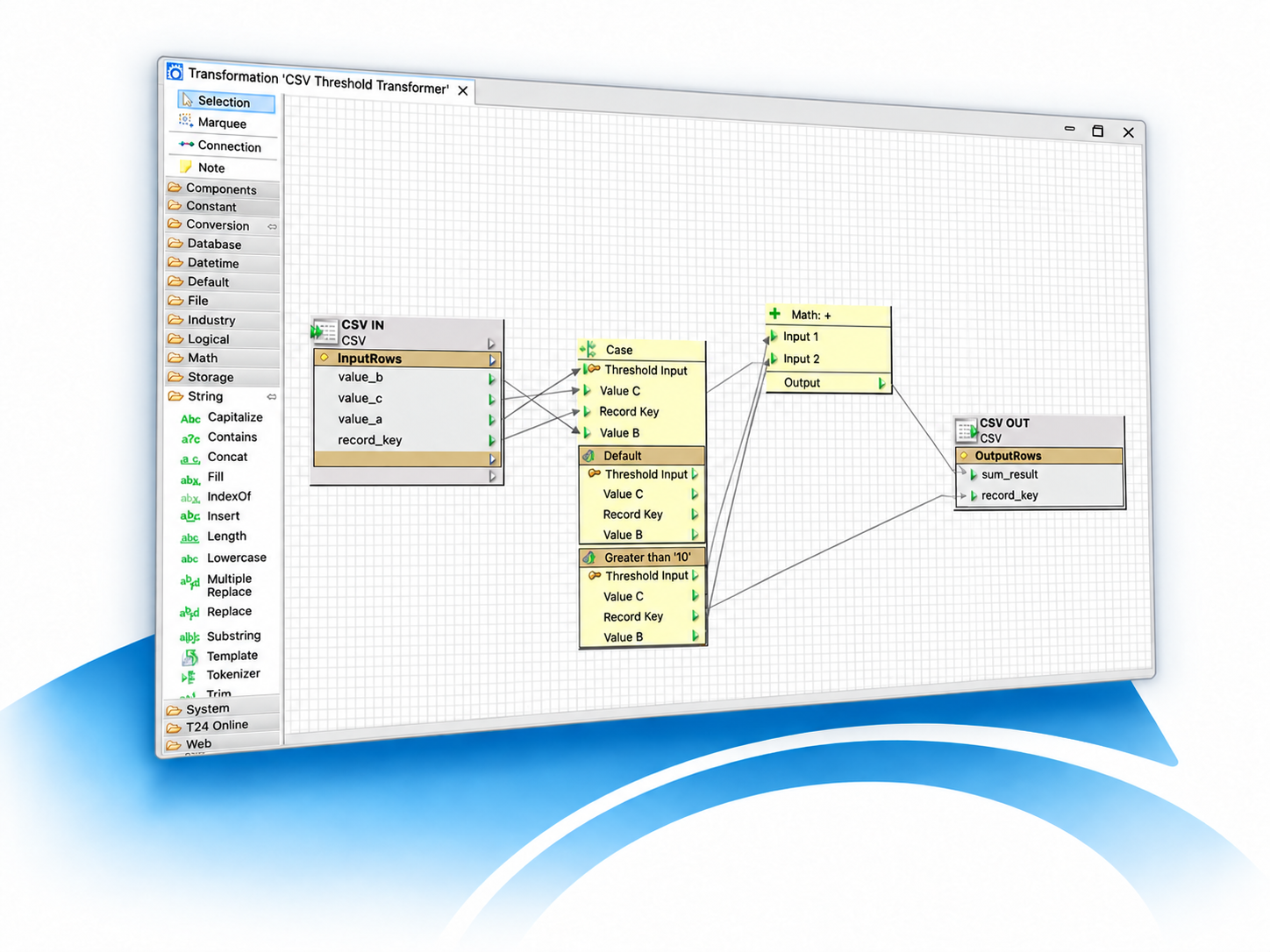
FLink Integration Platform
Connect systems. Design workflows. Deploy with confidence.
Request FREE DemoFLink is used to build and operate interfaces between applications, databases, files, messaging systems and services. It is suited to recurring integration processes, data transformations and automated data exchange across heterogeneous IT environments.
One integrated platform
Design, manage, run and monitor interfaces
FLink Designer
Design and maintain interfaces graphically, test transformations and prepare controlled releases without programming.
FLink Service
Execute deployed workflows as a Java application on Windows, Linux or Unix and scale processing across multiple servers.
FLink Monitoring
Observe services, interfaces and processing results from a dedicated operational view.
FLink Team Server
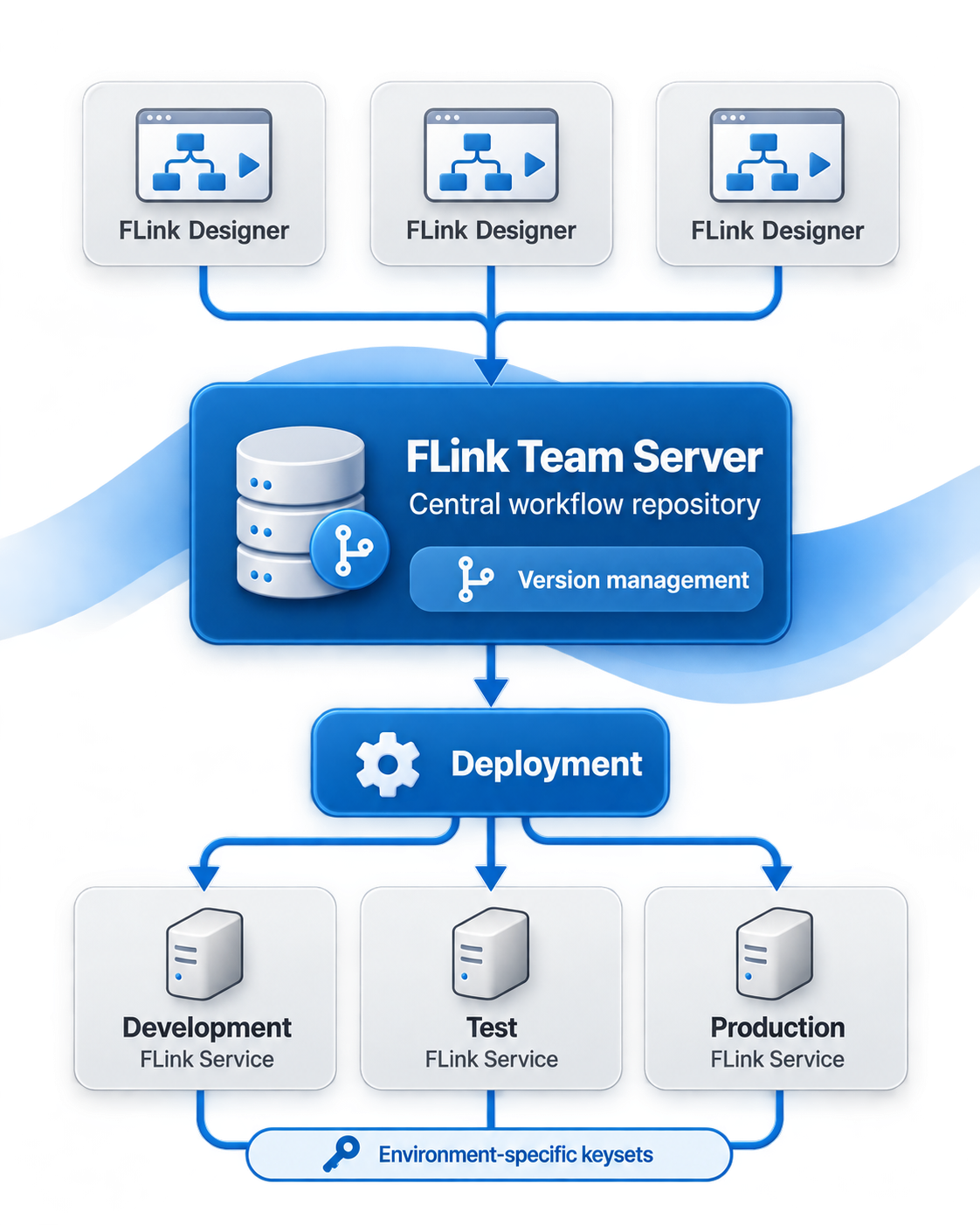
Use a central workflow repository to share development, retain versions and manage releases, licenses, users and keysets.

Build once, deploy anywhere
Separate business logic from technical configuration
FLink covers the complete interface lifecycle: visually design workflows, test them with transparent data flows, manage releases and deploy them to platform-independent runtime services. Pre-built connectors and transformation operators let teams concentrate on integration logic instead of writing infrastructure code.
Teams develop and test workflows in FLink Designer and store them centrally on FLink Team Server. Environment-specific keysets keep technical settings separate from the workflow logic, allowing the same development to move through test and production with less rework.
Typical applications
Integration for complex enterprise environments
Application integration
Connect databases, services, files, messaging systems and enterprise applications through reusable workflows.
Data transformation
Convert, validate and route information using graphical transformation logic and prebuilt operator packages.
Temenos Transact connectivity
Integrate online and batch processes with dedicated connectivity for Temenos Transact environments.
Start with a proven foundation
Guidance, templates and customer support
Workflow templates
Use templates supplied within FLink Designer as practical starting points for recurring integration scenarios and DataBridge automation.
Training and best practices
Build internal expertise with product training and practical guidance for maintainable workflows, testing and operations.
Customer support
Authorized customers receive technical assistance through FRAMETEXX Customer Support and can follow the status of their requests.
For architects and technical teams
Planning your implementation?
Review system requirements, supported platforms and detailed connectivity information.